Designing clear operational workspaces for employees, admins, hosts and front-desk teams.
HCM Café covers two workplace products. The HR platform supports configurable dashboards, attendance and leave. The Visitor Management System coordinates invitations, arrival, check-in and check-out across five roles.
- Role
- UI/UX Designer
- Contribution
- Web and mobile workflows, dashboards, forms and states
- Workstreams
- HR management + Visitor management
- Evidence
- Product design files and workflow screens
Product model
Keep two related workplace products clear without pretending they are one workflow.
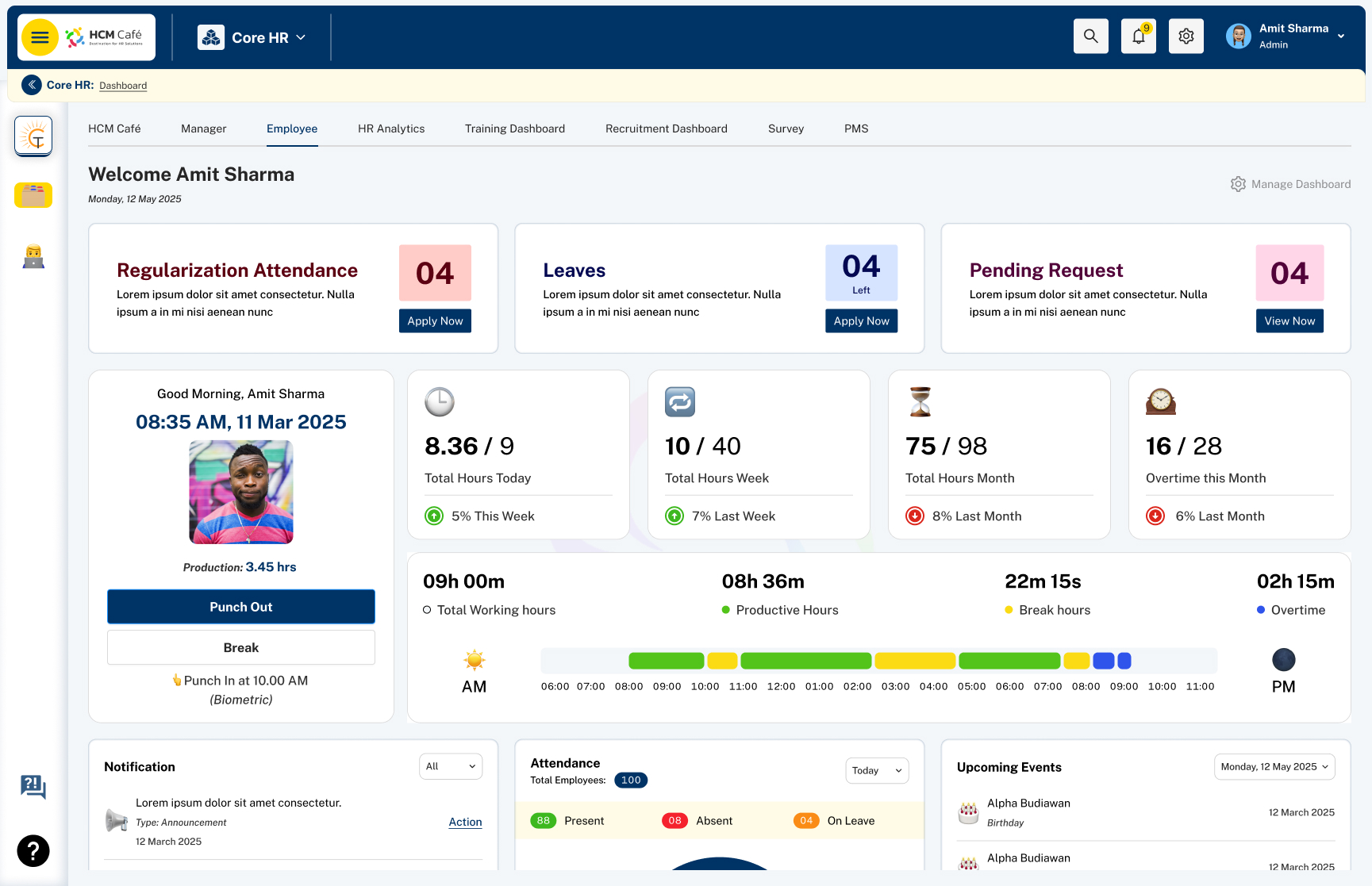
The HR product is organised around employees, managers, modules, attendance and leave. Its main challenge is helping each role see the tools and decisions relevant to them.
The Visitor Management System is organised around a visitor record that moves between Host, Company Admin, Security and Super Admin. The products share a brand and visual language, but the case study keeps their responsibilities separate.
Configure modules, personalise dashboards, record attendance and manage leave.
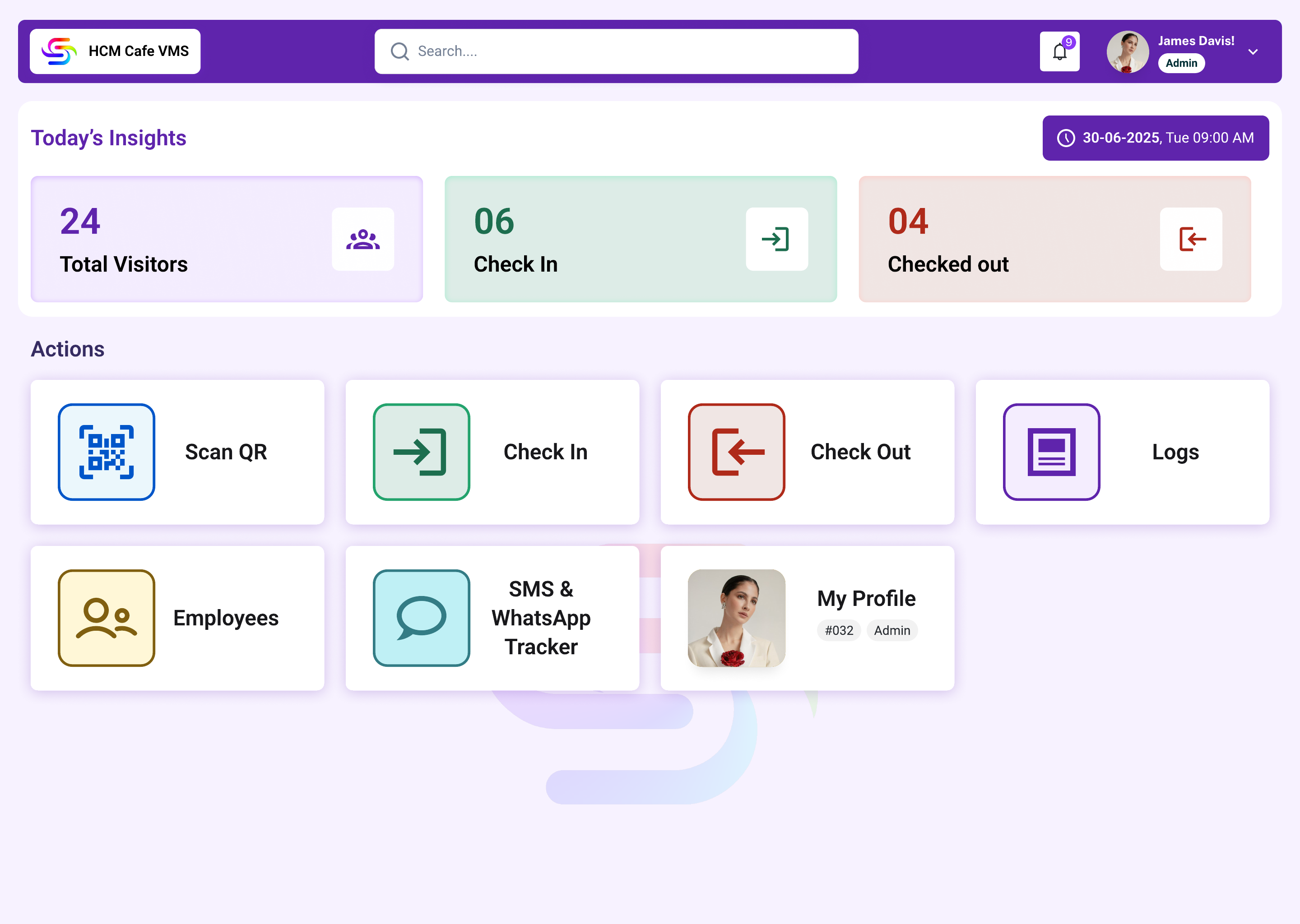
Invite visitors, verify arrival, record guests and assets, then complete check-out.
HR management
Let organisations configure the workspace before employees use it.
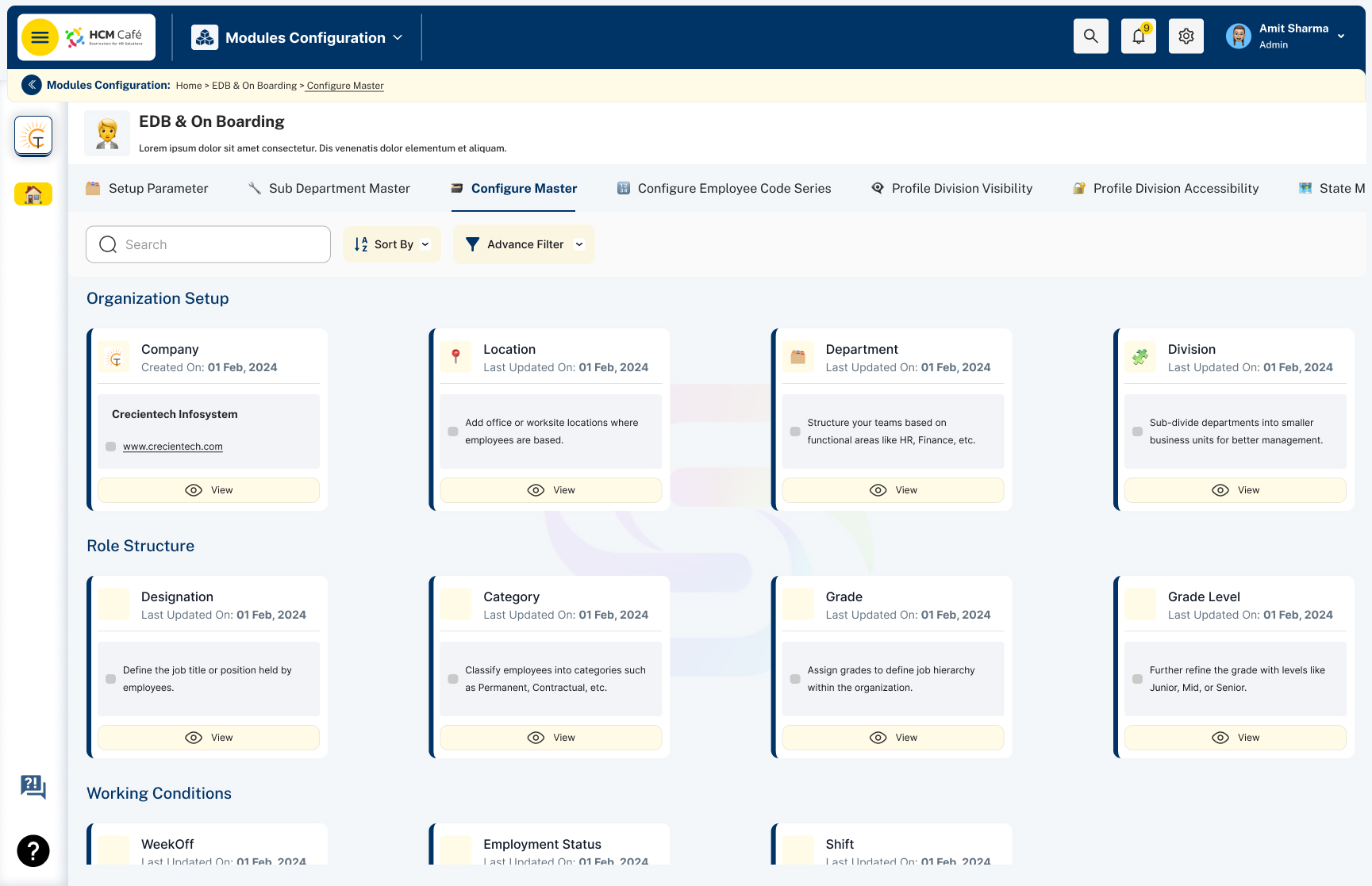
The module configuration area brings organisation structure, locations, attendance rules, leave settings and other HR capabilities into one administrative workspace. Dashboard widgets then reflect the modules relevant to each role.
Company, location, department and role structure
Attendance, leave, payroll and recruitment settings
Role-relevant dashboard widgets and actions
Attendance and leave
Make the current state and next action visible in exception-heavy workflows.
Attendance is more than a check-in time. The interface also needs to communicate breaks, overtime, missing punches, regularisation and approval status.
Leave follows a similar pattern. Employees submit a request with context, while managers need a review view that shows dates, balance, reason and a clear decision.
Keep summary counts, detailed records and approval actions in the same operational context.
Managers need to understand the exception before approving, rejecting or requesting a correction.
The screens remain data-heavy, so hierarchy and status consistency carry more value than decorative simplification.
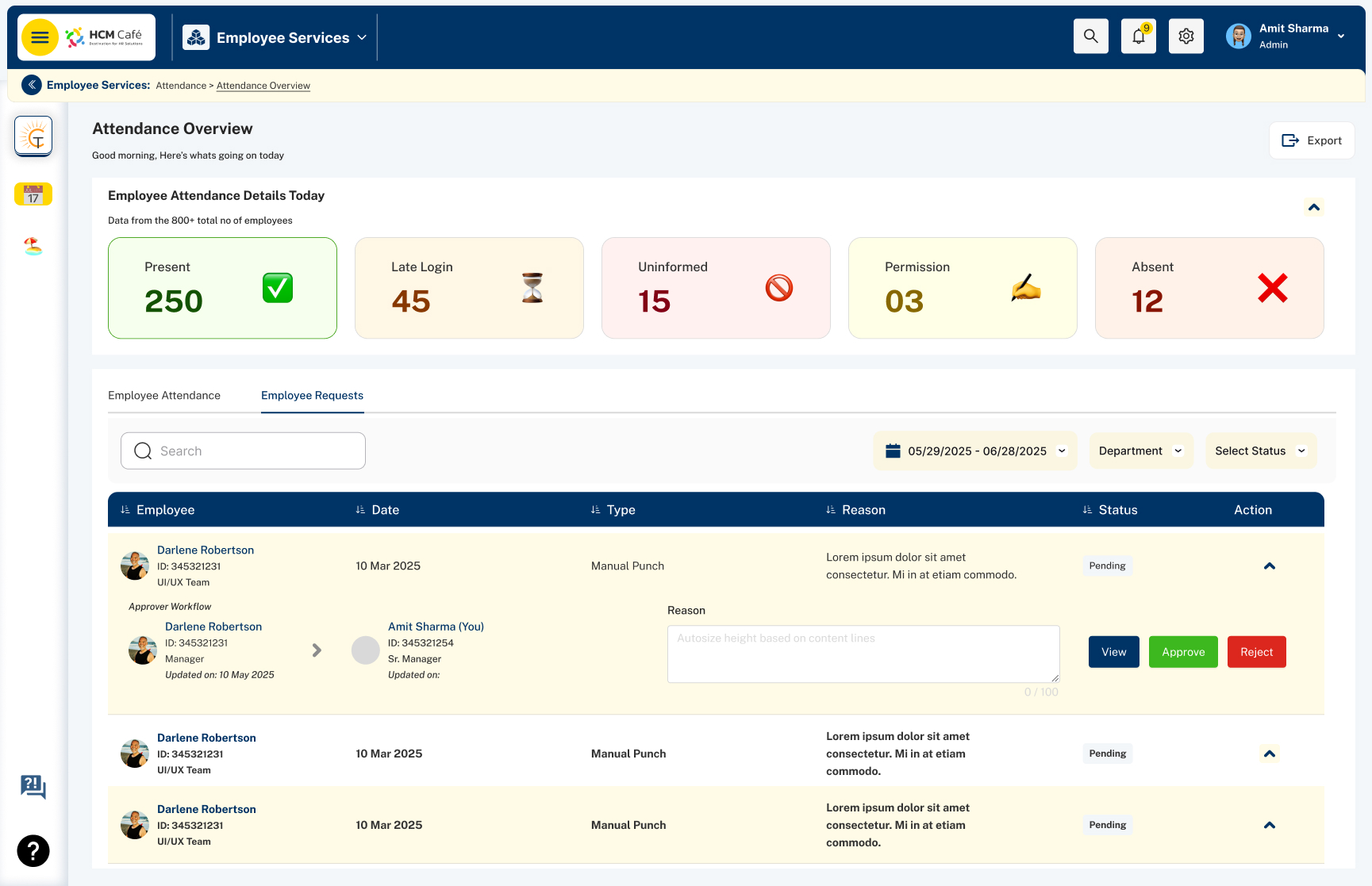 Attendance overviewOpen full size
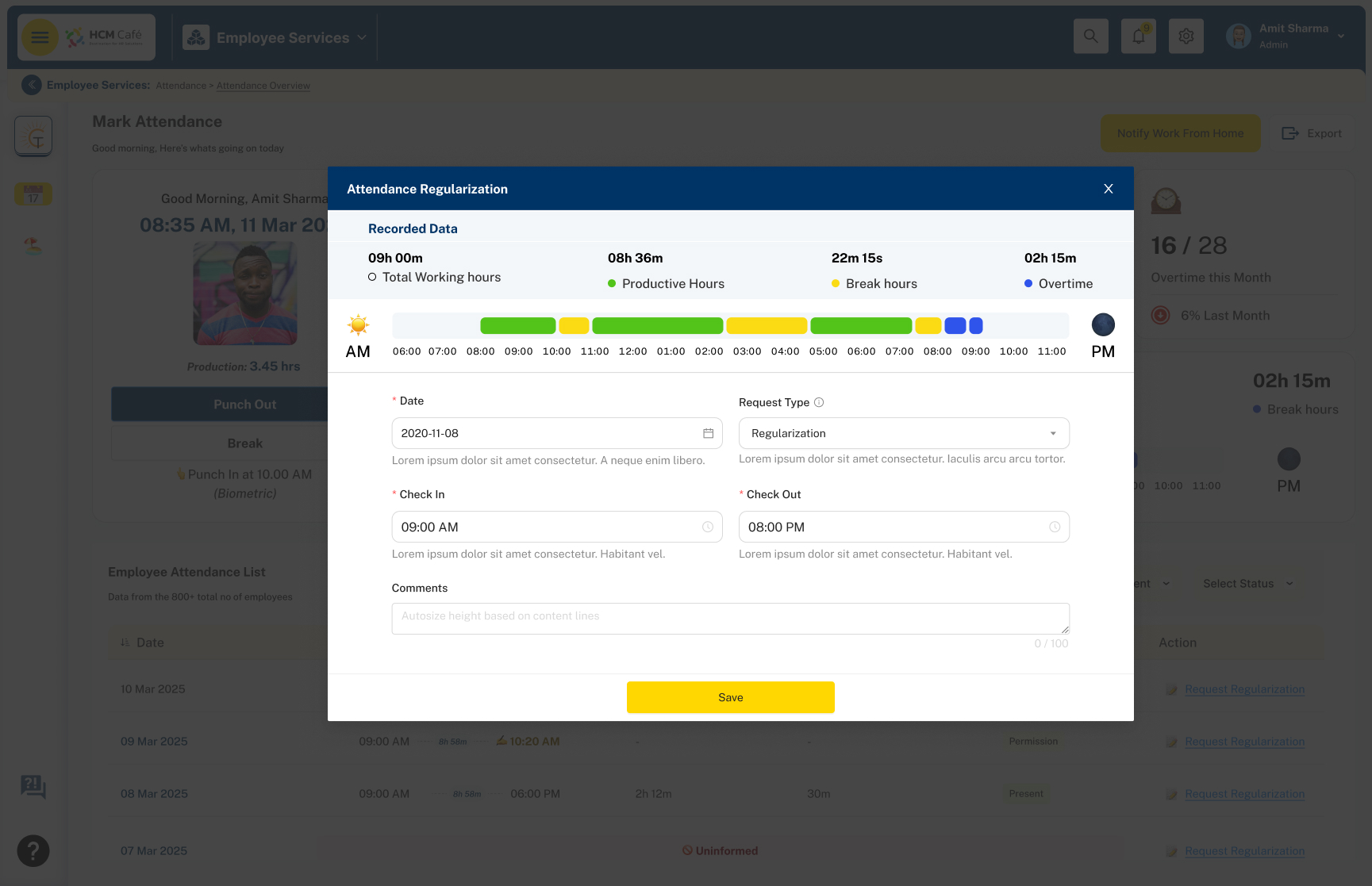 Attendance regularisationOpen full size
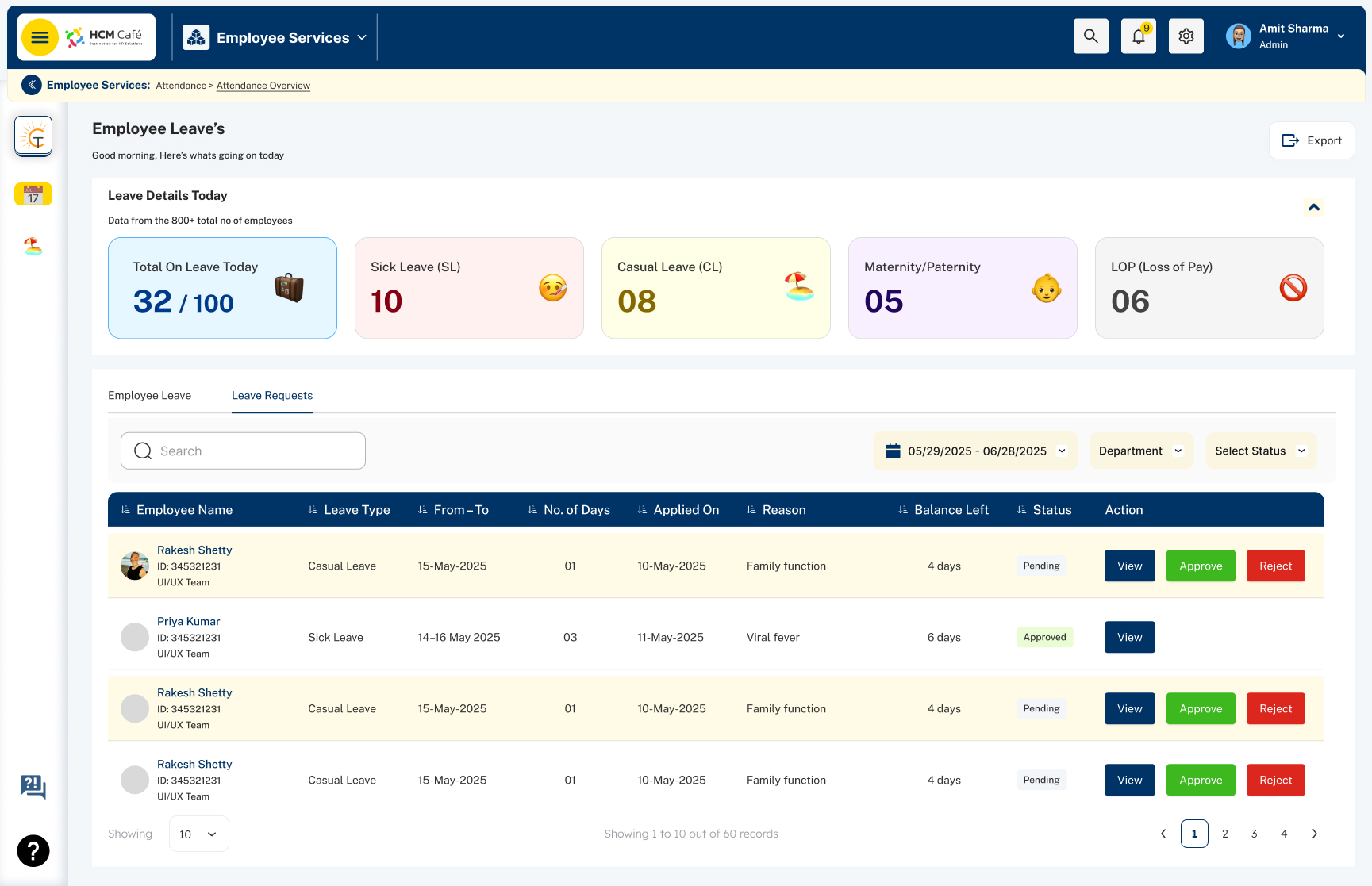 Leave approvalOpen full size
Visitor management
Coordinate one visitor lifecycle across five roles.
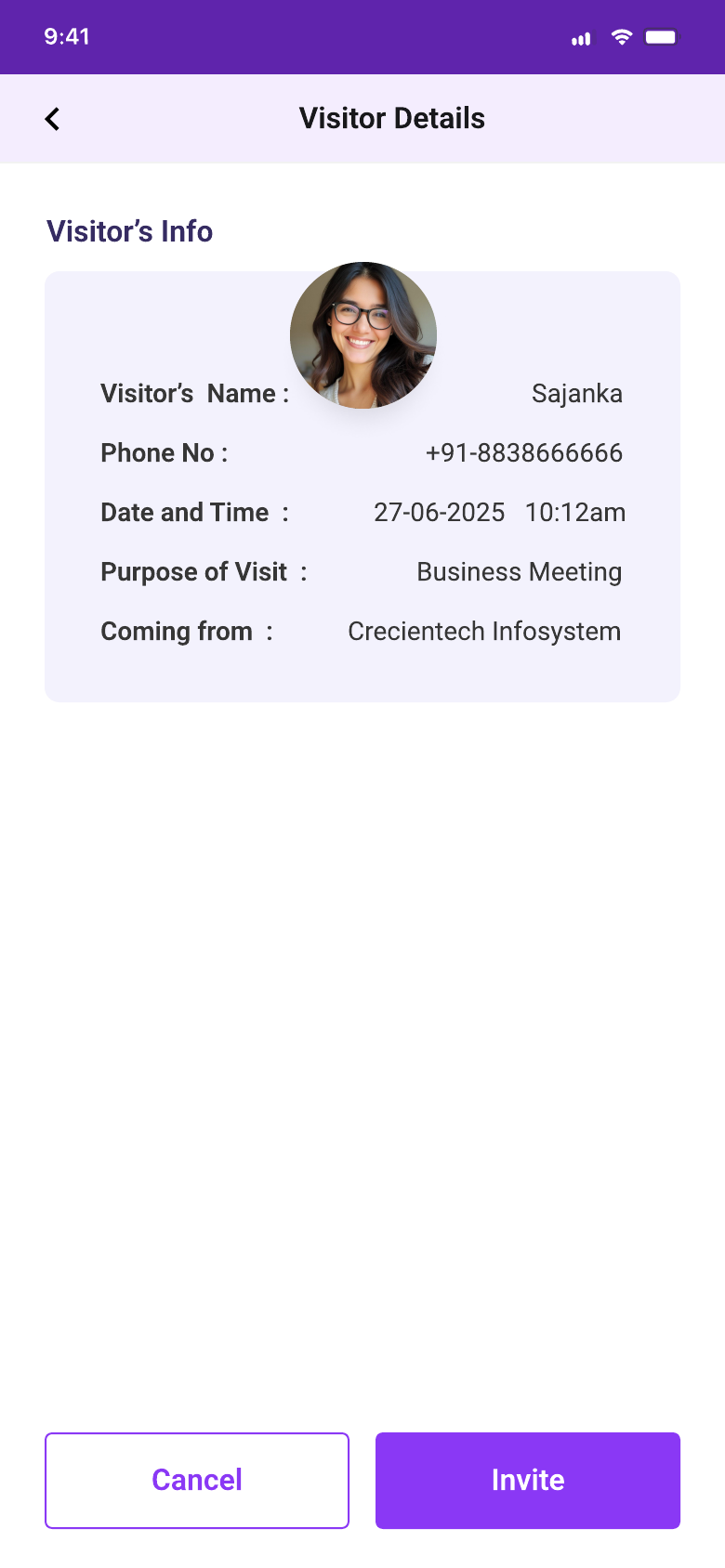
The visitor record changes owner as the visit progresses. The Host creates the invitation. Admin users manage company-level records. Security verifies arrival and completes check-in. Super Admin users review platform activity.
Confirms details, presents the pass and completes the visit
Creates the visit and shares the visitor pass
Manages visitors, employees and communication records
Scans the pass or finds the visitor manually
Manages companies, reports and platform-level activity
Host adds visitor and visit details
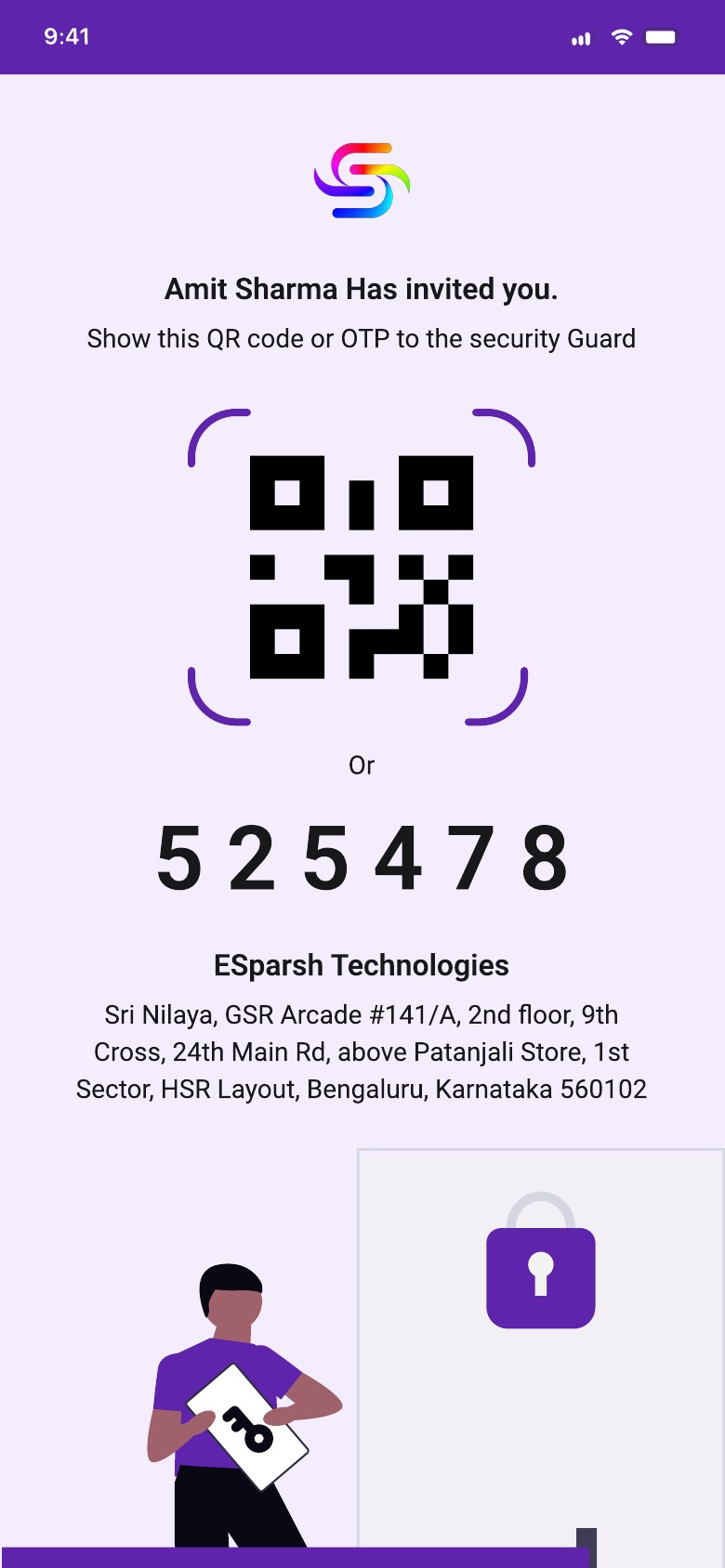
Visitor receives QR or numeric code
Security scans or searches manually
Guests and assets are recorded
The visit is completed and logged
VMS flow architecture
Show where ownership changes during a visit.
I combined the original Visitor, Host and Admin flow maps into one system view. The revised architecture adds the missing Security and Front Desk hand-off, separates the standard path from fallbacks, and keeps unresolved policy decisions visible.
- 01Create visit
Host invitation or visitor request
- 02Review
Approve or reject when approval is required
- 03Confirm
Visitor receives QR or OTP and confirms details
- 04Verify arrival
Scan the pass or search for the visit record
- 05Check in
Verify identity, record details and issue a badge
- 06Meet visitor
Host receives the arrival alert
- 07Check out
Complete the visit or review an open visit
- 08Update log
Keep the completed visit available for review
Security can continue by phone, email or host instead of stopping the check-in.
The front desk records the visit, then checks whether the host can approve entry.
This remains an open question until the organisation confirms who can approve the visitor.
Security can review visits that were not checked out and close the record with context.
Role and permission architectureFive roles coordinate through one visit recordInspect how creation, approval, verification and administration ownership are separated.+
Portfolio reconstruction based on delivered design.
- Confirm details
- Receive pass
- Present QR or OTP
- Create visit
- Approve request
- Receive arrival alert
- Verify visitor
- Record guests and assets
- Check in and check out
- Configure companies
- Review visit logs
- Track communication usage
Front desk operations
Support QR speed without making the workflow depend on QR alone.
Security can scan a visitor pass for a fast lookup. A numeric code and manual visitor search remain available when the pass cannot be scanned or the visitor arrives without it.
Before check-in, the flow captures accompanying guests and carried assets. Check-out closes the visit and preserves the record for history, reports and operational review.
Identify the invitation and open the visitor record.
Continue when scanning is unavailable.
Complete check-in with the required context.
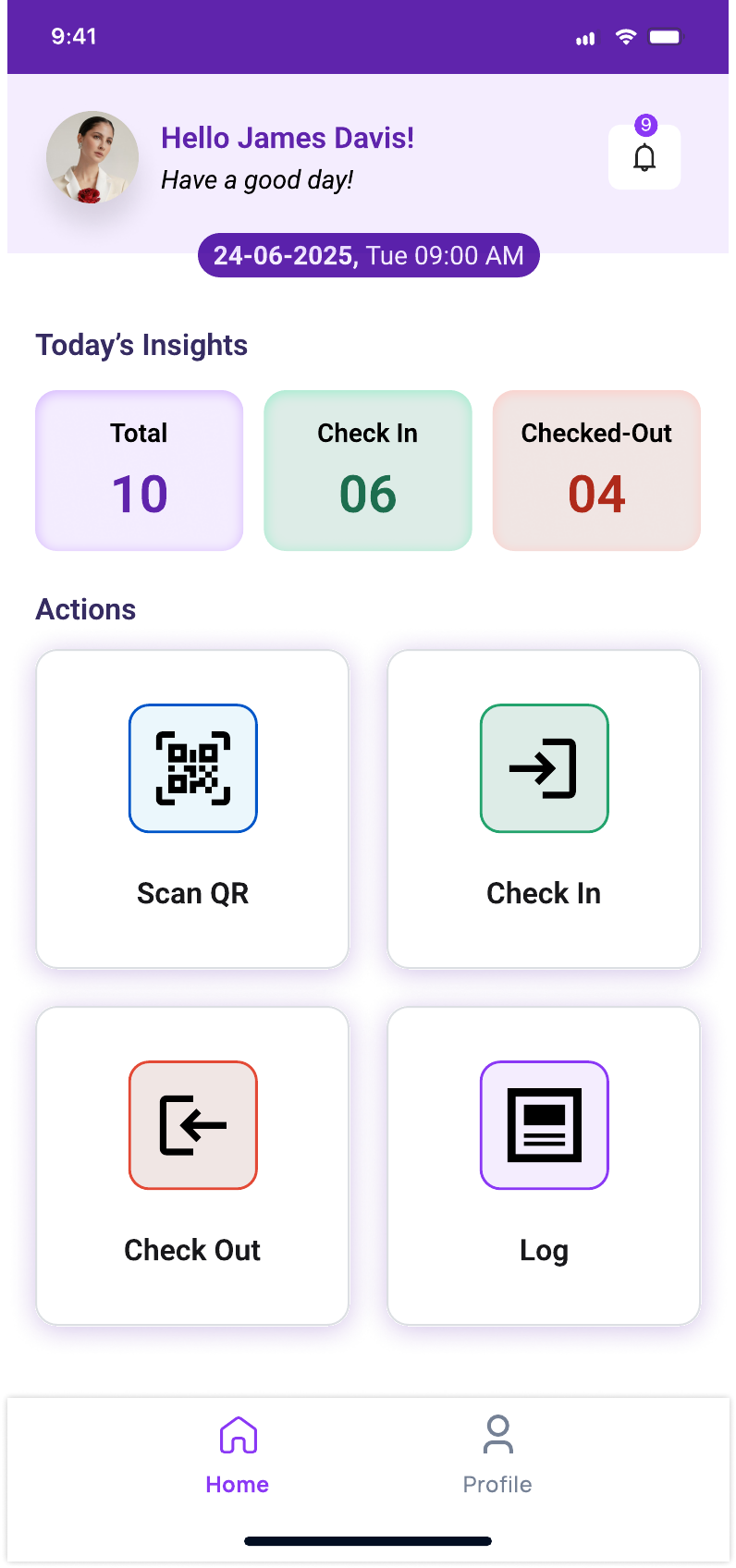 Security dashboardOpen full size
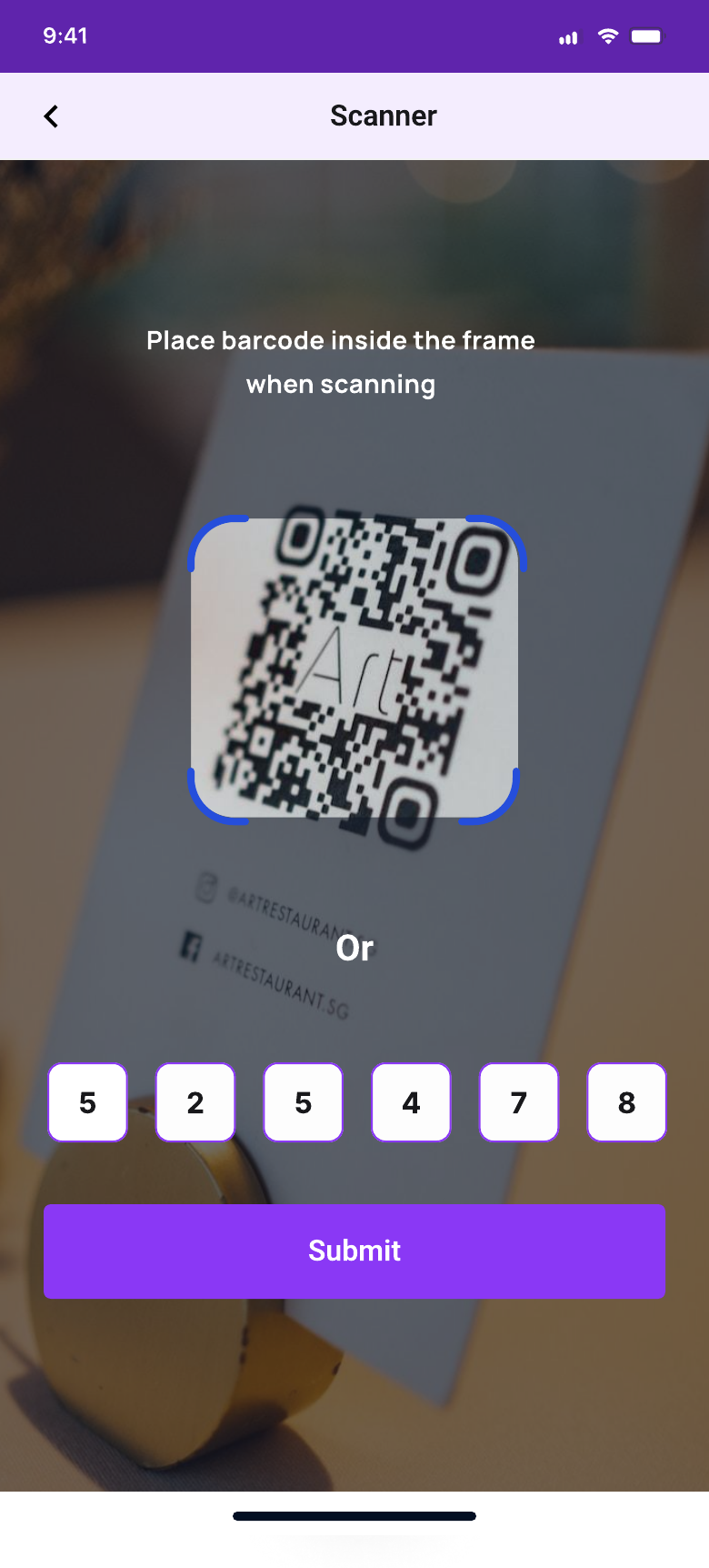 Scan or enter codeOpen full size
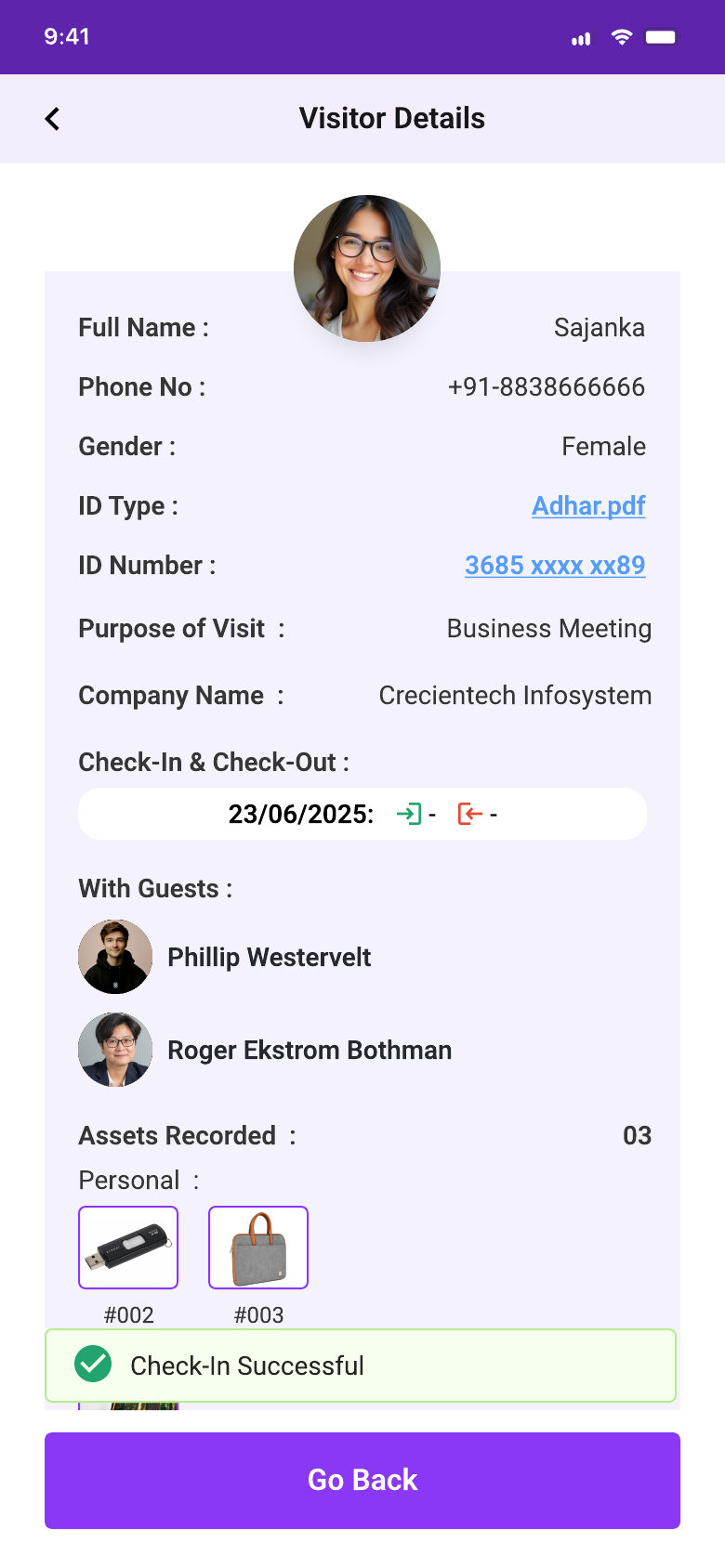 Check-in recordOpen full size
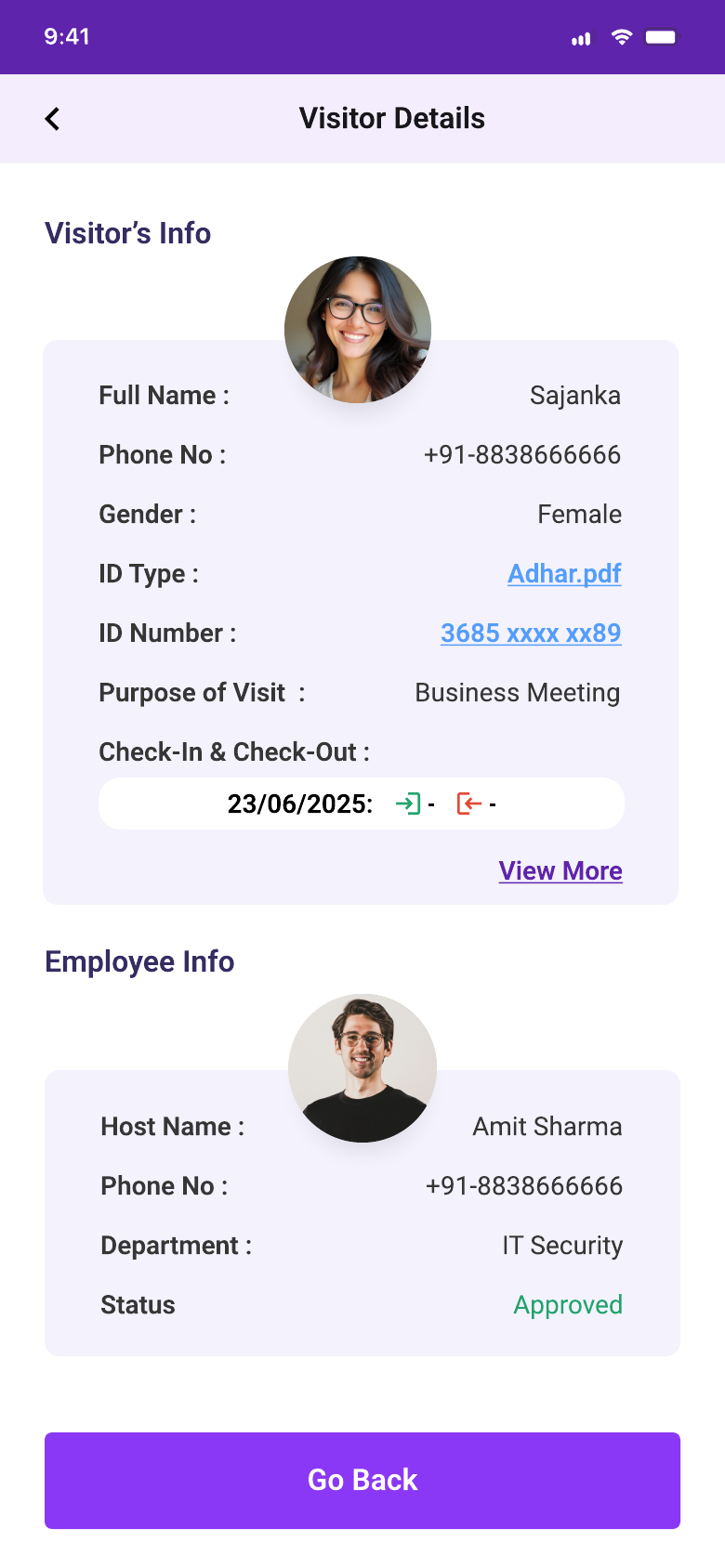 Check-out recordOpen full sizeCompany Admin workspaceOpen full size
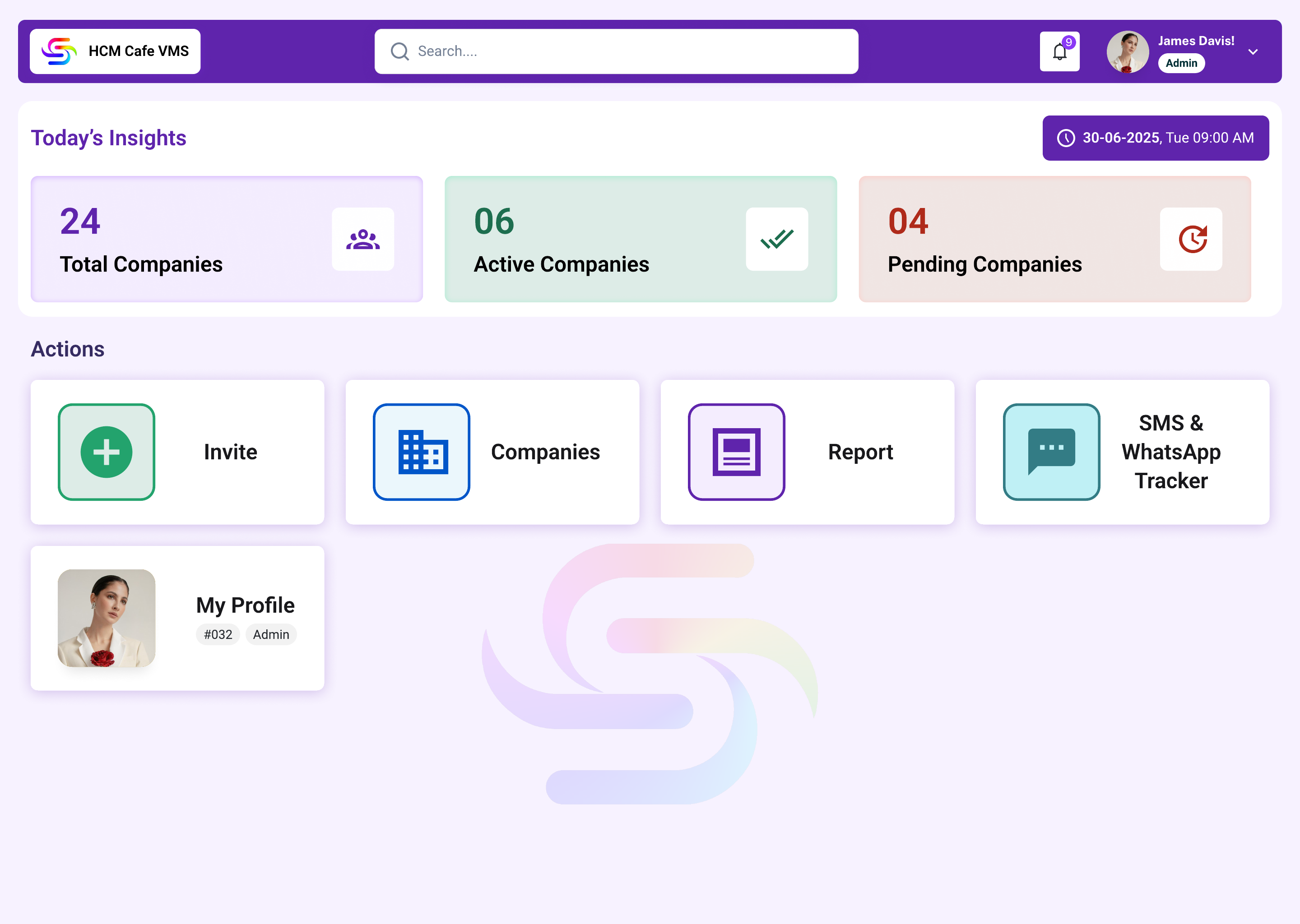 Super Admin workspaceOpen full size
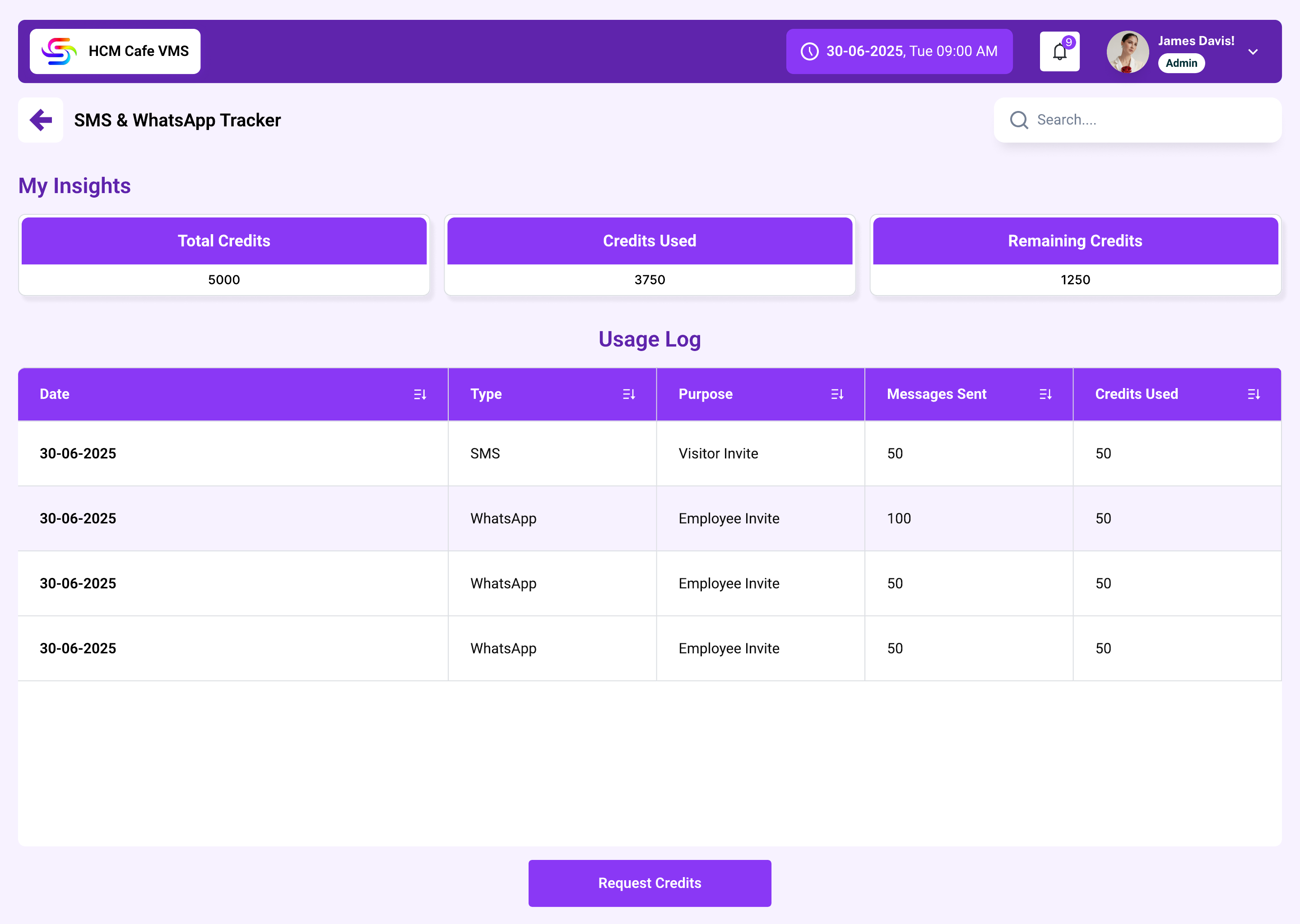 Communication trackerOpen full size
Shared visual patterns
Use the same interaction language while keeping each product recognisable.
Role-based dashboards
Cards and widgets surface the modules and daily actions relevant to the signed-in role.
Operational status
Counts, labels and record states help users understand what needs attention.
Review in context
Drawers and modals keep supporting details close to approval or update actions.
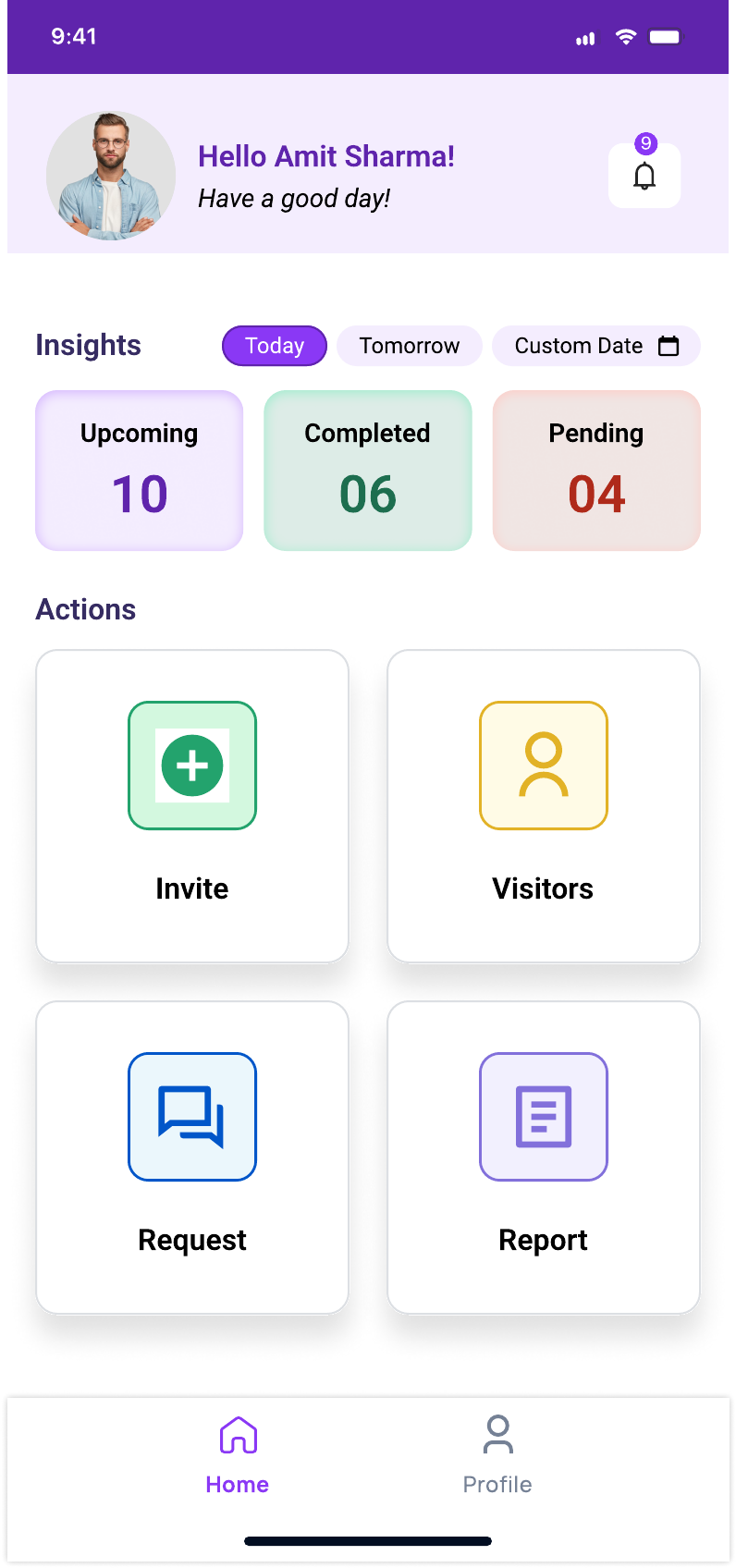
Web and mobile continuity
Desktop supports broad monitoring. Mobile keeps focused actions available at the point of work.
The two products share HCM Café branding and visual patterns. A shared backend, component library or direct data integration was not verified, so this case study does not claim one.
Reflection
The strongest design decision is making ownership visible at every operational hand-off.
Role-aware enterprise product design
The designs cover configuration, dashboards, exceptions, approvals, invitations, front-desk operations, communication tracking and mobile task flows.
Exceptions and real-world front-desk pressure
I would test attendance corrections, leave decisions, failed QR scans, walk-in visitors, multiple guests and asset reconciliation with the people handling those tasks.
Formal usability findings, product adoption and business metrics were not available for this case study. The documented outcome is the design coverage and the operational logic visible in the product files.