Connecting property discovery with the work required to publish and manage it.
Property Care supports customers looking for properties, owners posting them, franchise teams managing activity and admins reviewing accounts. The Phase 2 design covered the workflow before and after a property appears in search.
- Role
- UI/UX Designer
- Contribution
- Web and mobile UI, forms, states and workflows
- Platforms
- Responsive web + mobile
- Scope
- Phase 2 product design
Product model
The same property record supports different decisions.
A property seeker needs relevant results and enough detail to enquire. An owner or franchise user needs a structured way to post accurate information. The admin needs the context required to review accounts and manage operational states.
The interface changes by role, but the underlying property, requirement, enquiry and account records stay connected. This relationship shaped the navigation, form steps and status patterns across web and mobile.
Search, compare, save and enquire about properties
Post a property and manage its information and status
Complete onboarding and manage property activity
Review franchise accounts, documents and account status
Franchise onboarding
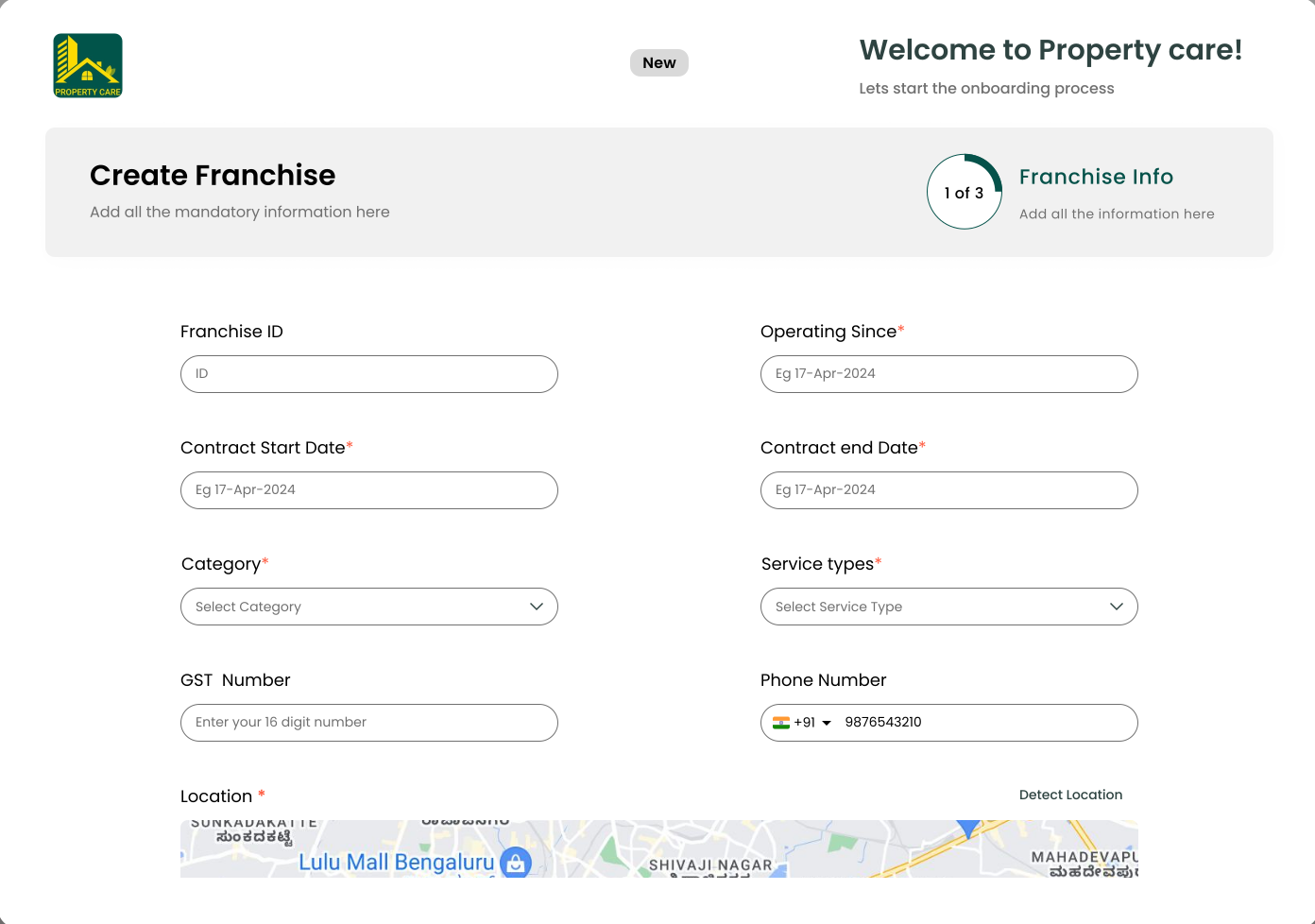
Collect business information without turning onboarding into one long form.
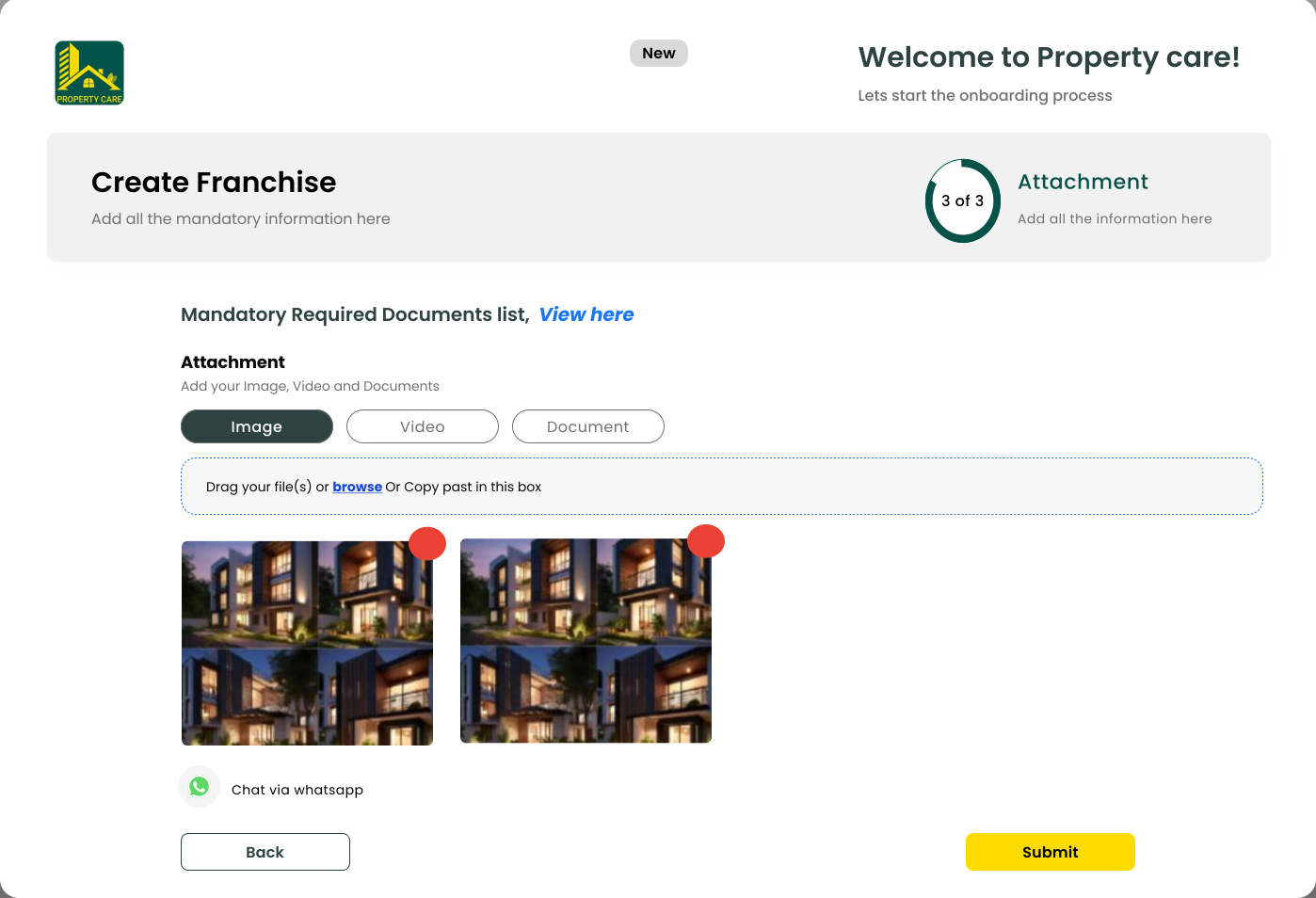
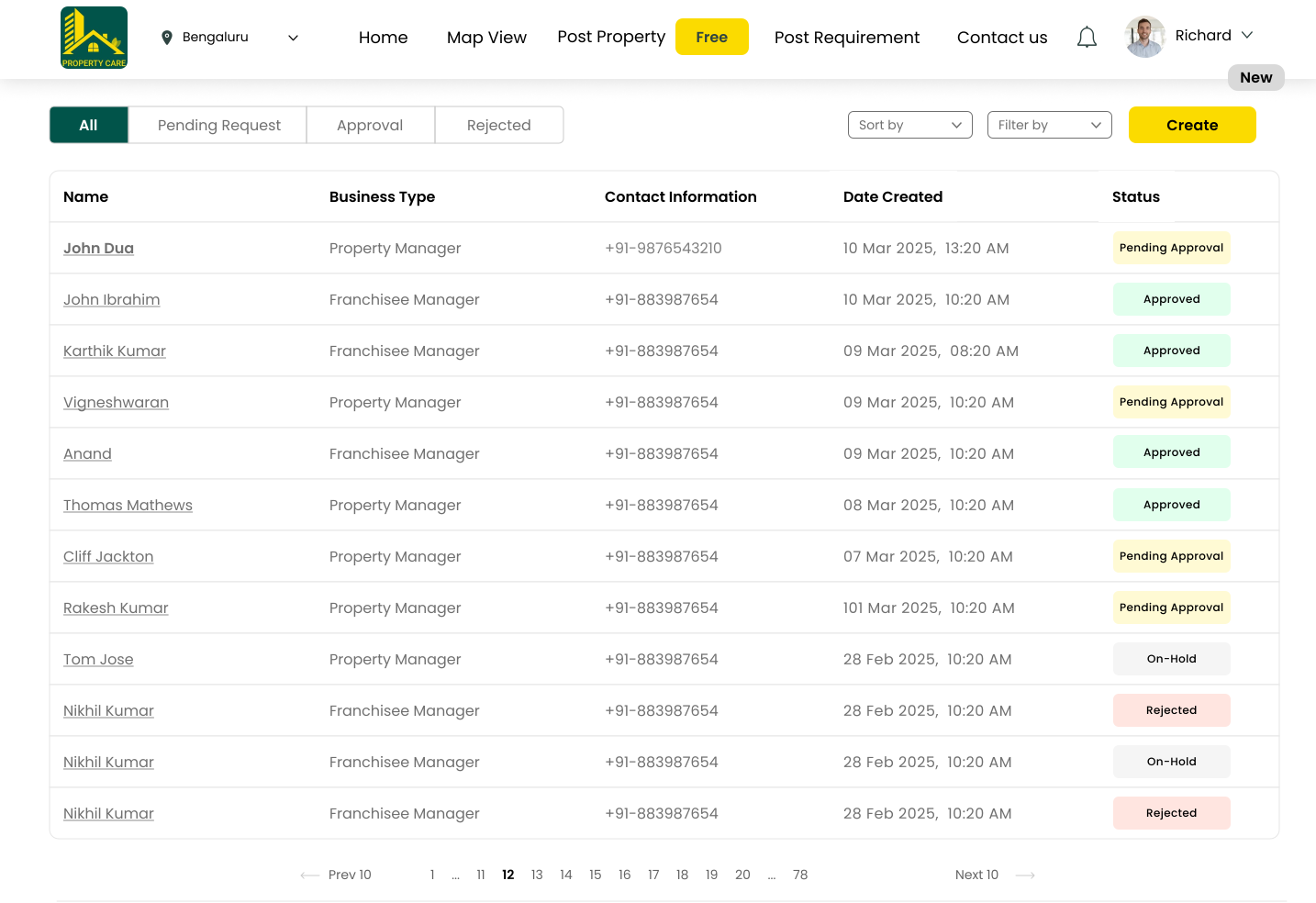
The franchise flow divides business details, contact information and supporting documents into three steps. A separate admin view then brings those records together for review and status updates.
Contract, service and location details
Primary and additional contacts
Required evidence before submission
Approve, reject or keep the account on hold
Post a property
Structure a detailed property record through progressive steps.
Posting a property requires category, service type, contact details, location, specifications, amenities and media. Showing every field together would make it difficult to understand what is complete and what still needs attention.
The step-based structure groups related information and keeps the current stage visible. Longer specification screens stay focused on one decision area while Back and Next preserve the larger workflow.
Group fields by the way users describe a property, rather than by database structure.
Property type, location, specifications, amenities and media require different kinds of input.
The flow takes more steps, but each step is easier to review and correct.
Wireframe explorationGrouping the form around how people describe a propertyCompare the information-density options behind the eight-step structure.+
Portfolio reconstruction based on delivered design.
Fast to expose, difficult to scan and recover.
Matches the schema but not the user’s mental model.
Groups type, location, specifications, amenities and media around recognizable decisions.
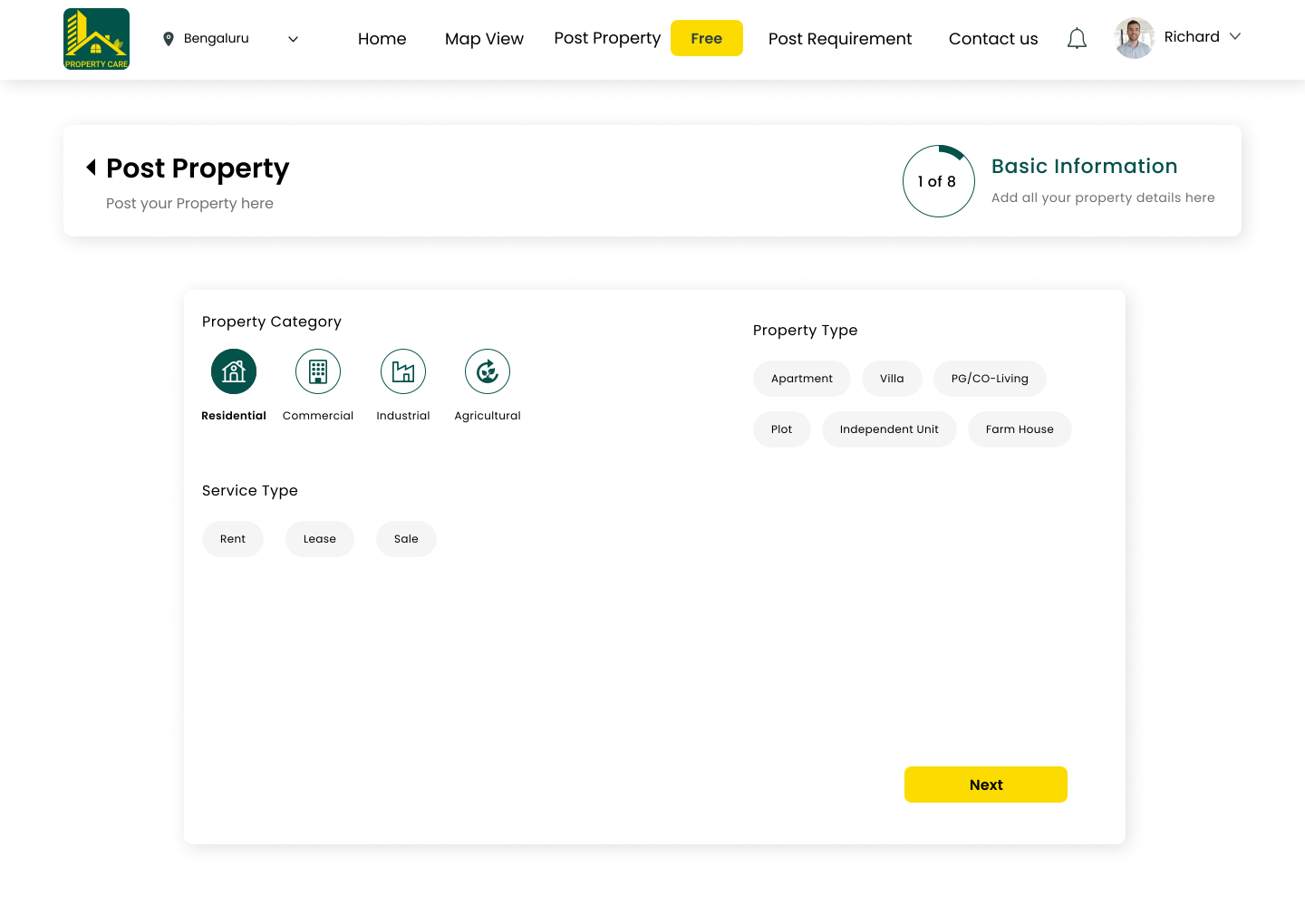 1 of 8 · Basic informationOpen full size
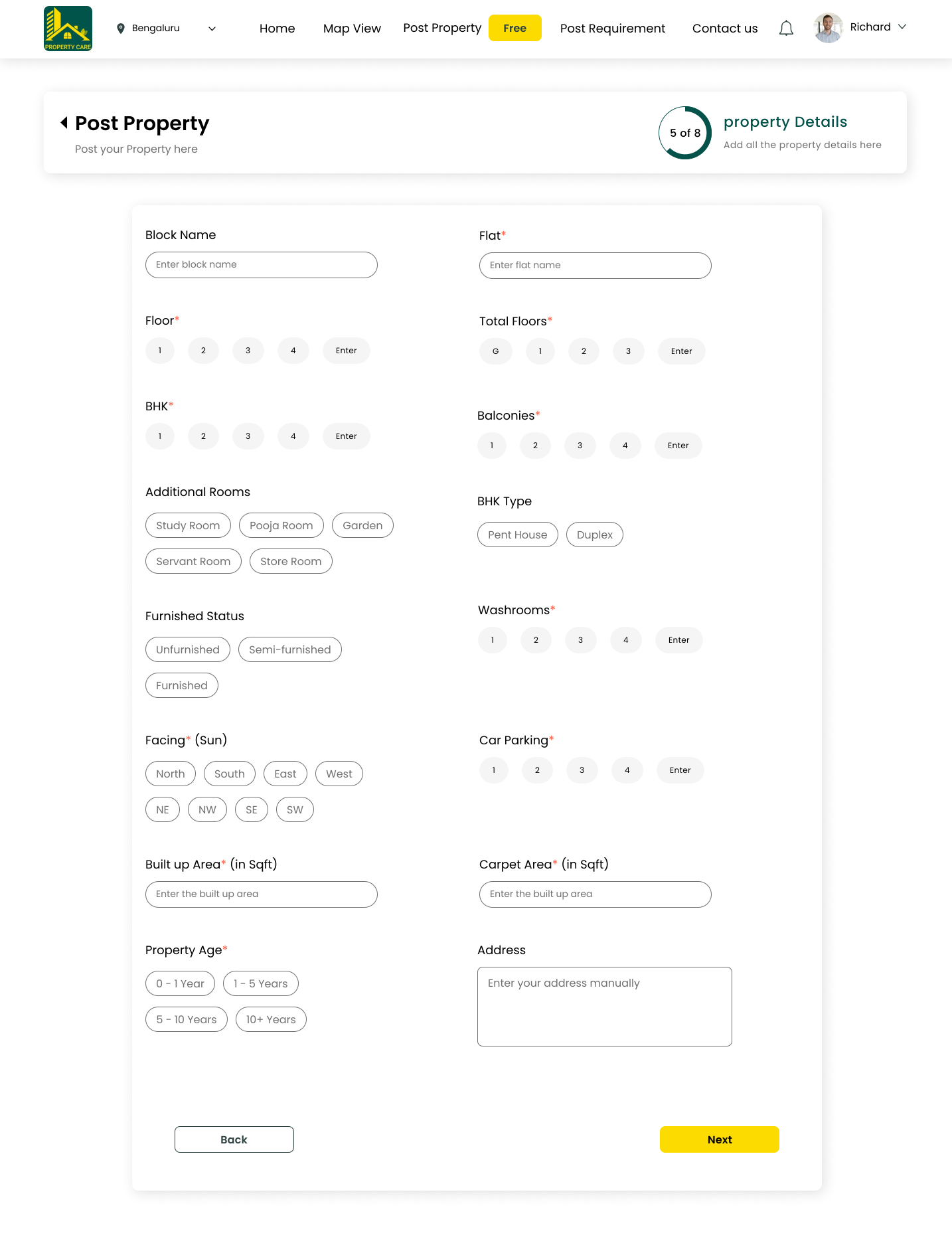 Property detailsOpen full size
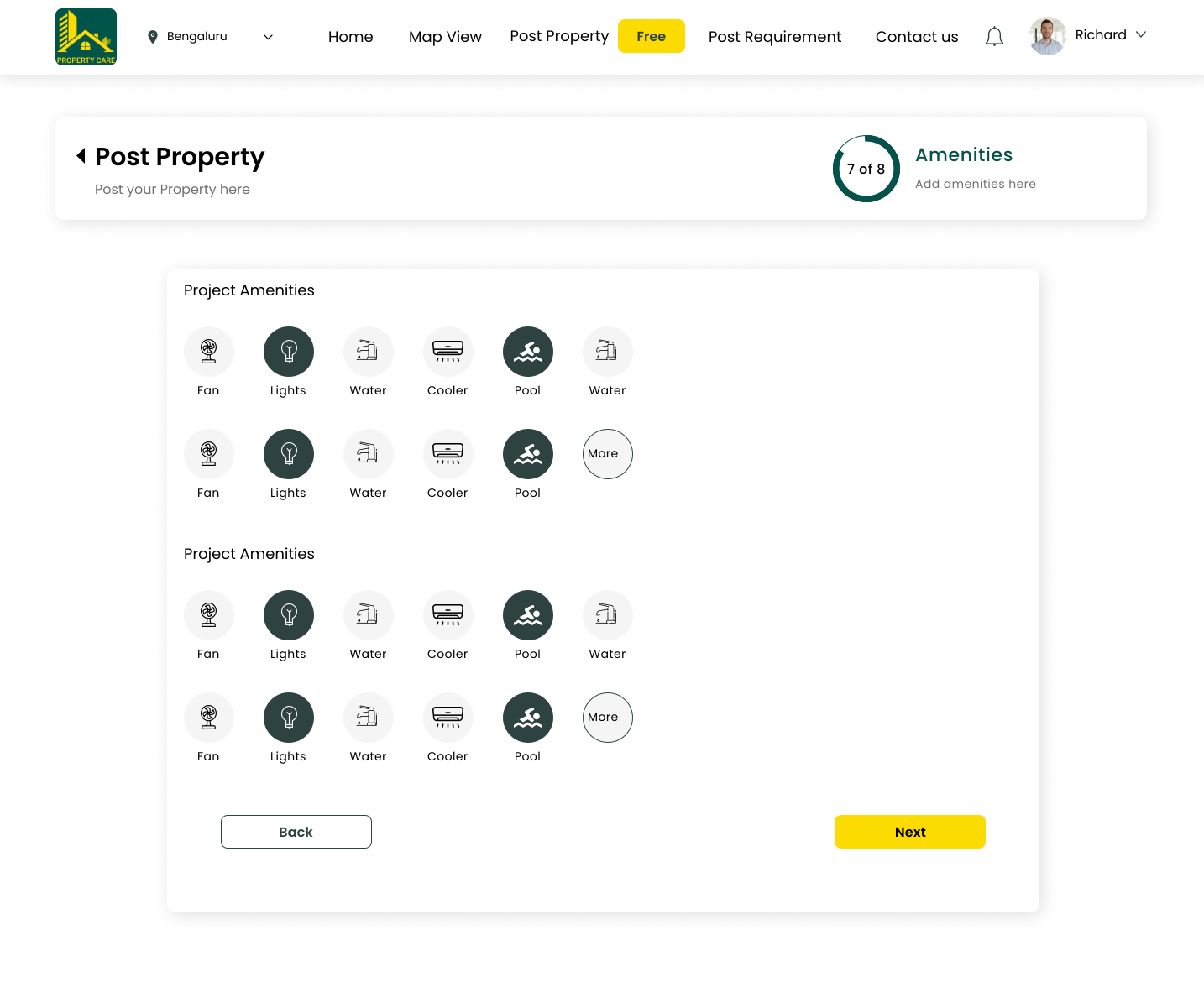 7 of 8 · AmenitiesOpen full size
Property requirements
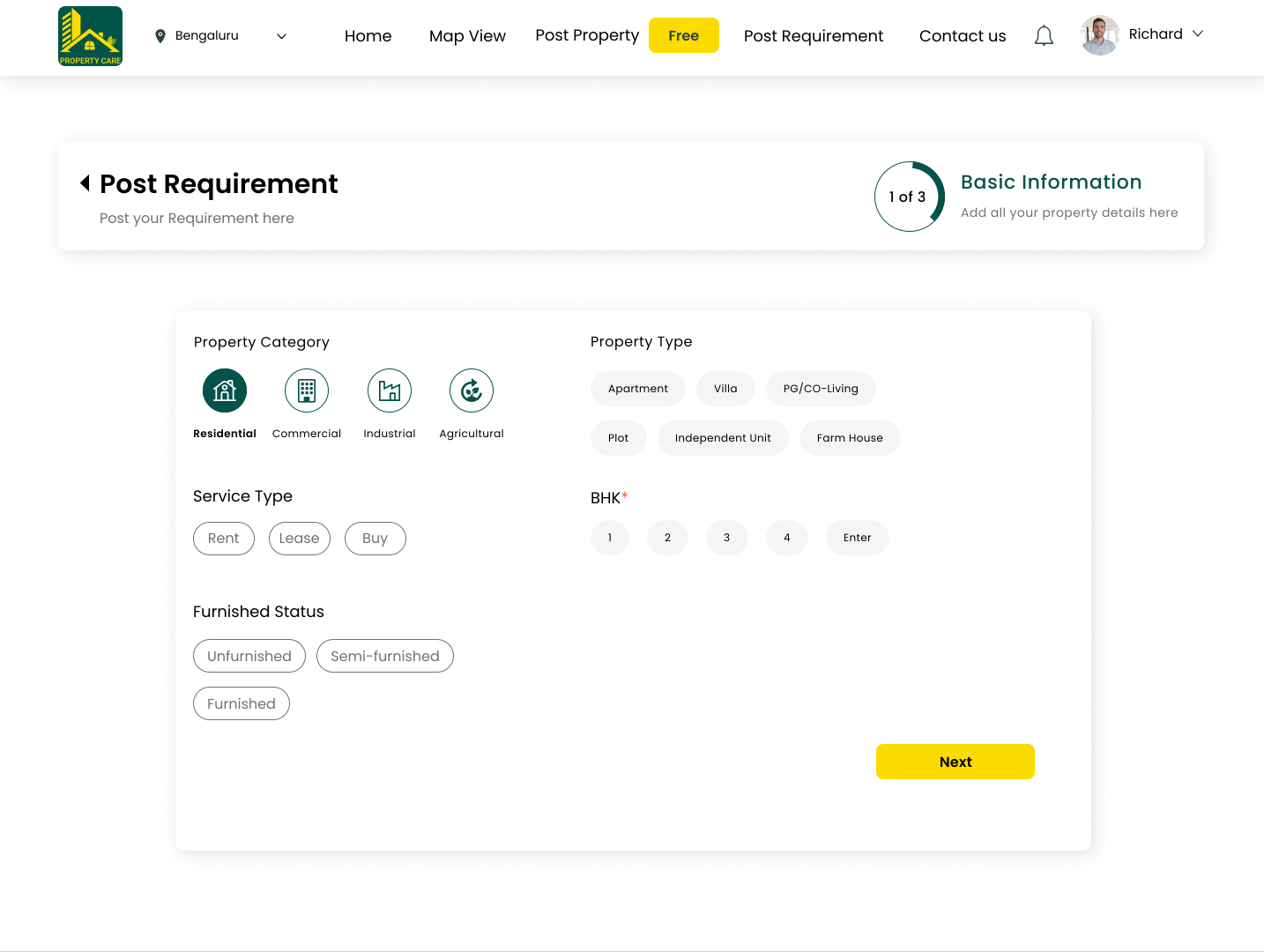
Capture demand in a format the property catalogue can use.
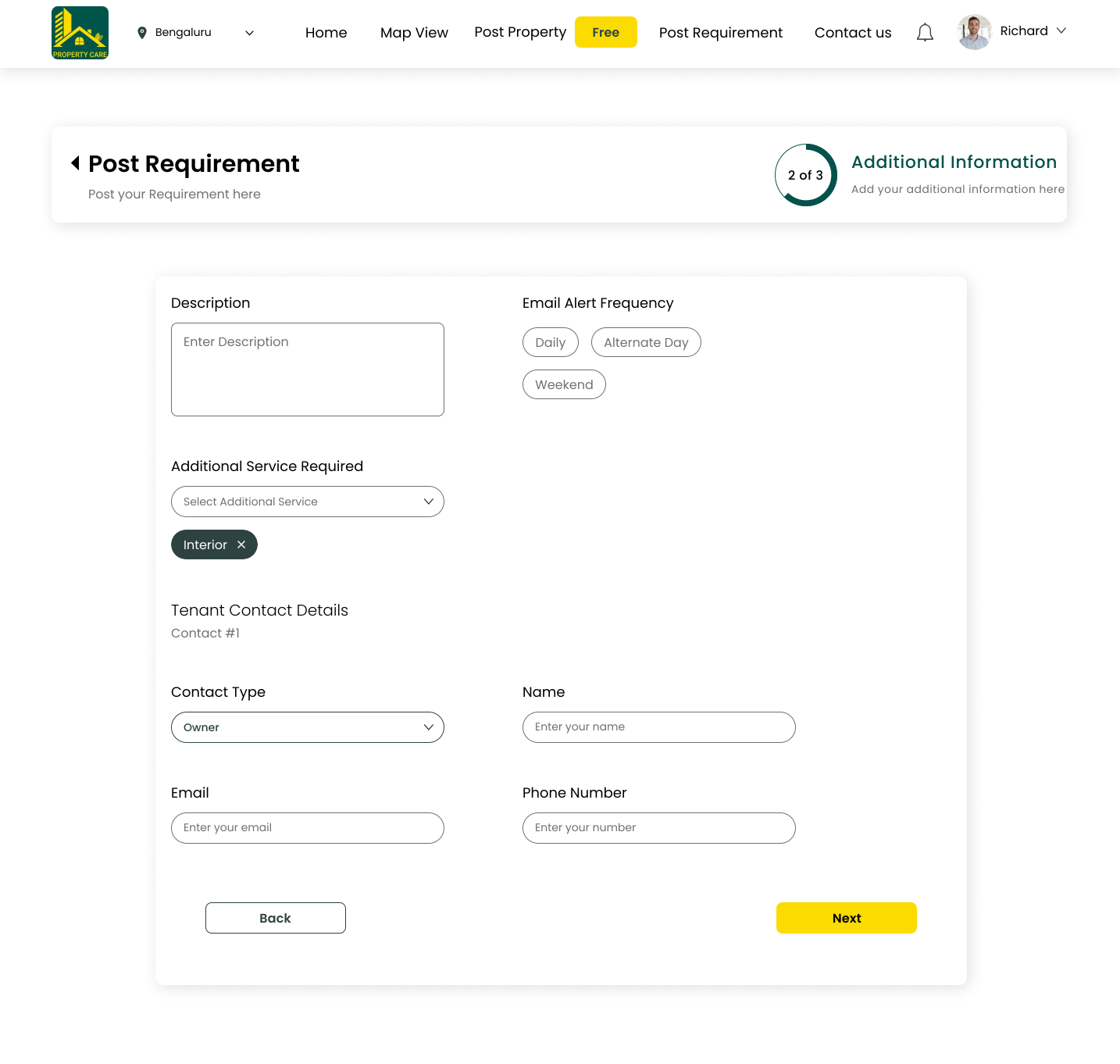
Customers can describe the property they need through category, service type, budget, furnishing, urgency and contact details. Structured requirements create a clearer basis for suggested properties and follow-up.
Rent, lease or buy
Rooms, furnishing and location
Who to contact and when
Discovery and enquiry
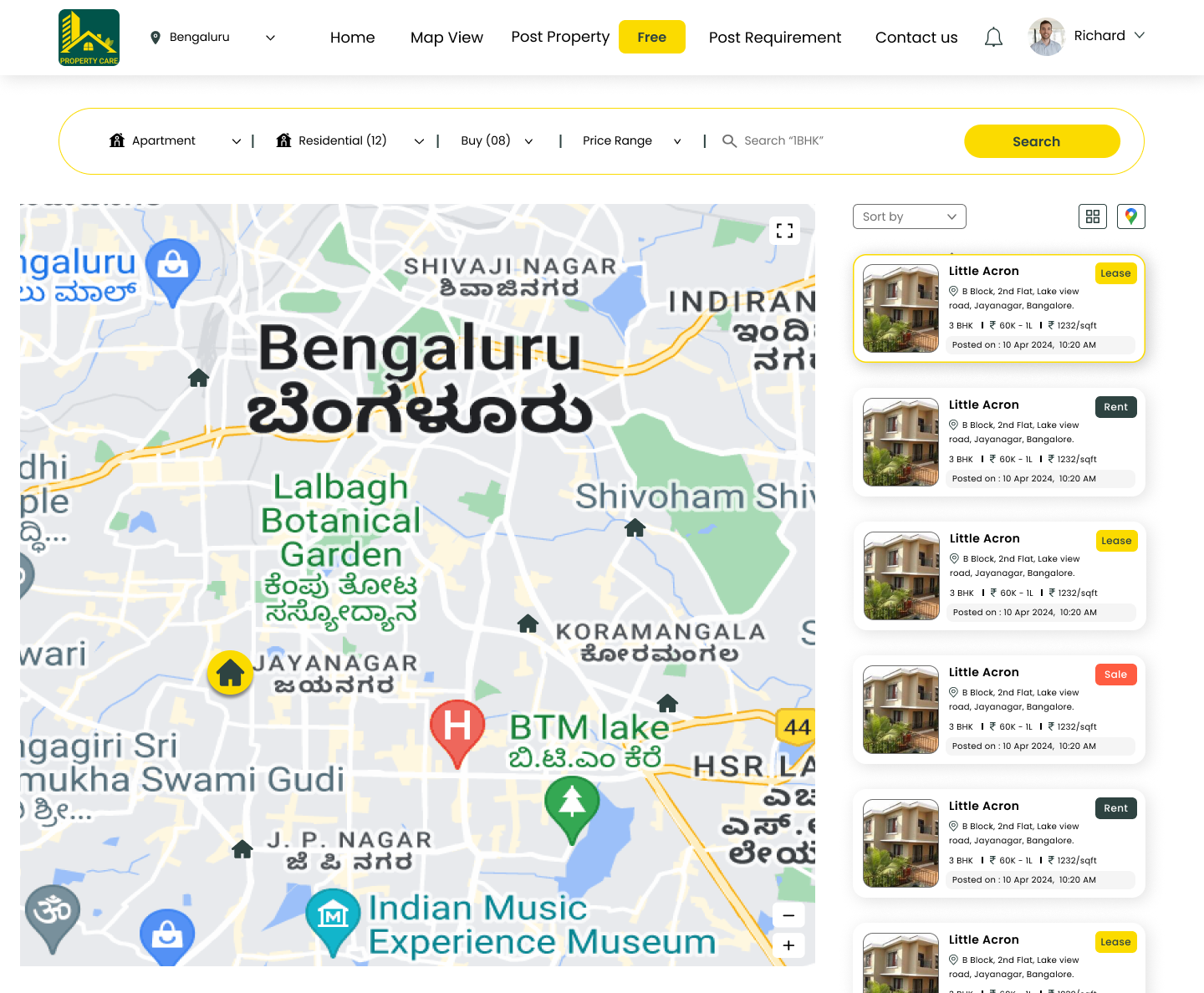
Keep search context visible while users compare properties.
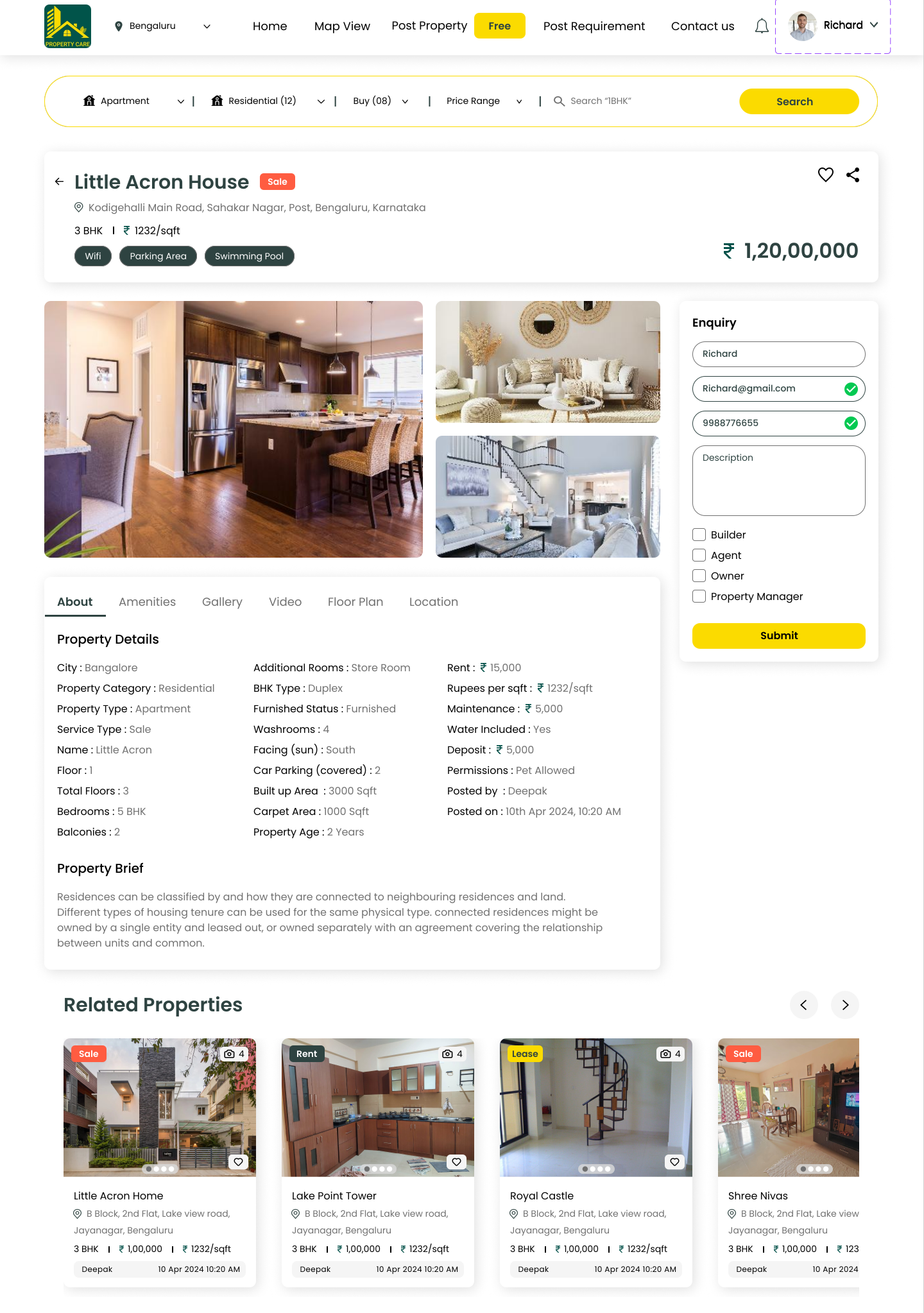
The discovery experience combines map context, filters and listing results. Users can move from an area-level view to property details without losing the criteria used to find it.
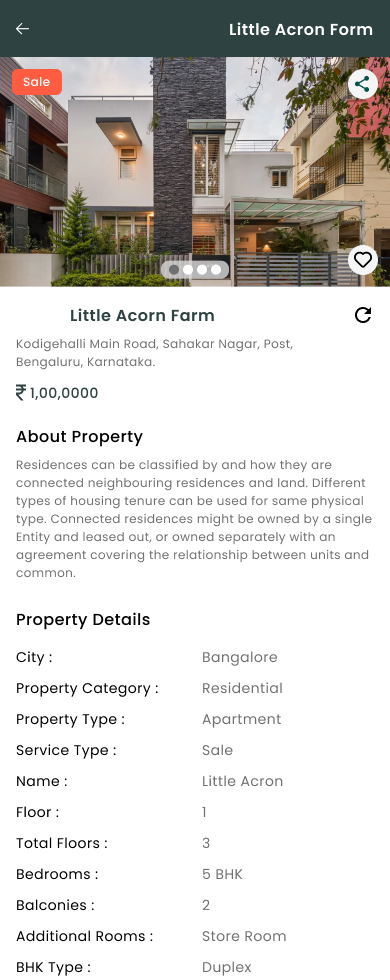
The detail screen brings images, specifications, pricing, contact context and the enquiry action together. Favourites provide a lighter commitment before a user is ready to contact someone.
Web and mobile continuity
Show property state clearly on a smaller screen.
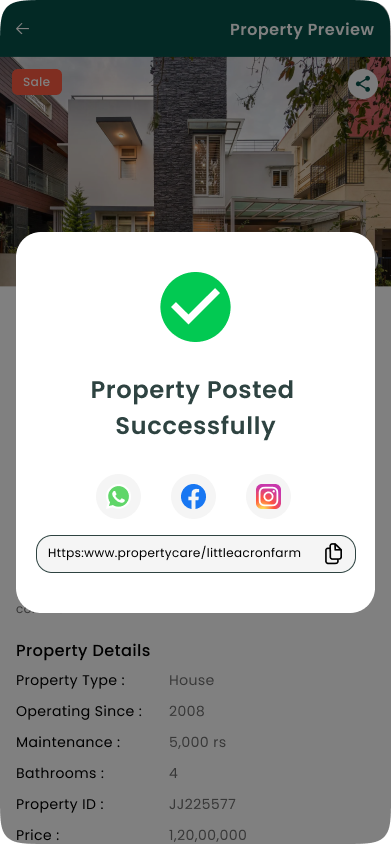
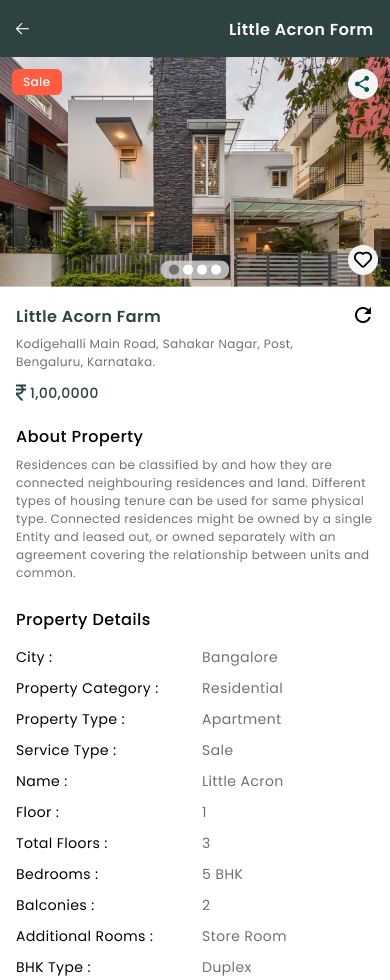
The mobile experience carries the same property information and publishing states into a narrow layout. Status is shown with a label and related action, rather than relying only on colour.
Information is available, but the property is still waiting for the next state.
The property is available through the discovery experience.
The user receives a clear completion message after submission.
Reflection
The strongest part of the product is the relationship between supply, demand and operations.
Workflow structure
Separated onboarding, posting, requirements and discovery into clear tasks.
Cross-platform patterns
Carried property details, actions and statuses from web into mobile layouts.
Operational states
Designed admin review and property states so the next action remains visible.
A connected Phase 2 product workflow
The designs cover franchise onboarding, property supply, customer requirements, discovery, enquiries and mobile property states.
Where users pause in the longest forms
I would test onboarding and property posting separately, then review completion, validation and return-to-draft behaviour with real users.
Verified usability results, adoption metrics and implementation outcomes were not available for this case study. The page documents the Phase 2 design work and the next validation steps without inventing impact.